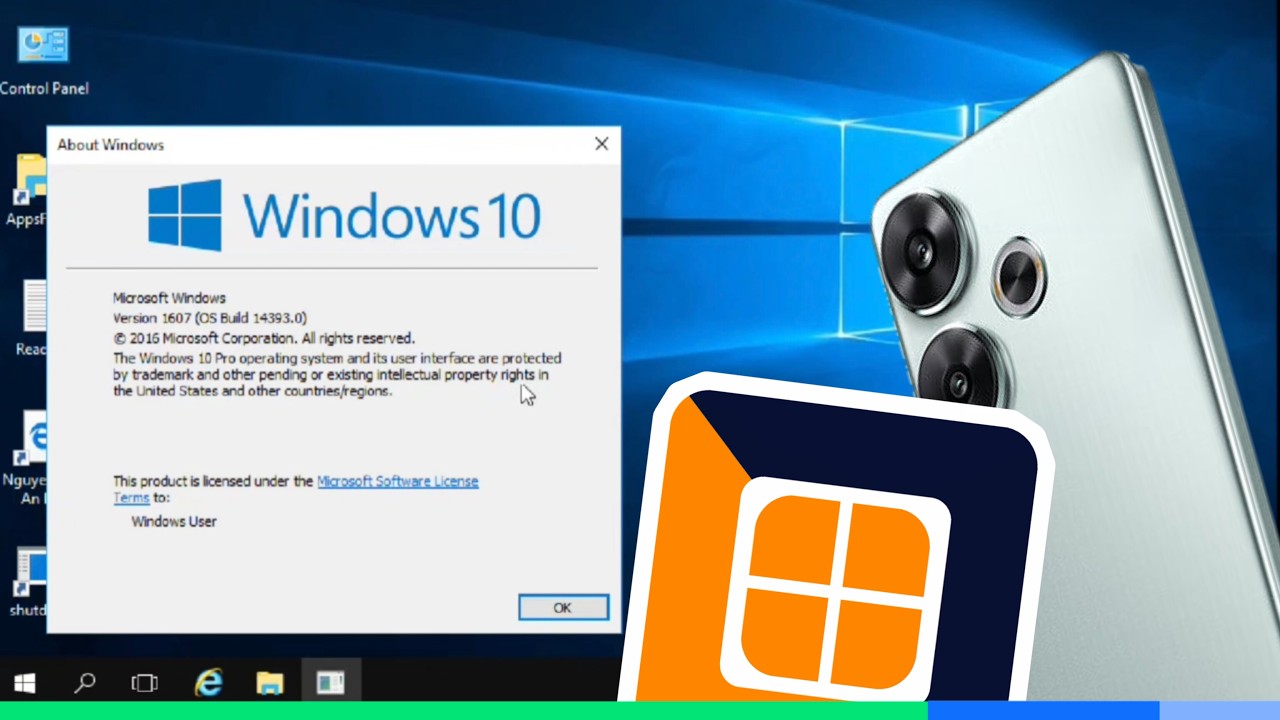
Mise à jour majeure WINDOWS : Toutes les nouveautés et comment l'installer.
Publication Patreon — Toutes les nouveautés ici.:⬇️⬇️⬇️⬇️⬇️⬇️⬇️⬇️⬇️⬇️⬇️⬇️⬇️
https://www.patreon.com/lefiltre_officiel/posts/windows-11-26h2-171020123
Télécharger Windows 11 — ISO officiel Microsoft :
https://www.microsoft.com/fr-ca/software-download/windows11
Commande:
winver
(Get-WinSystemLocale).Name
Mount-DiskImage -ImagePath "C:\Chemin\Vers\Votre\Fichier.iso"
----------------------------------------------------------------------------------------------------
La mise à jour Windows 11 26H2 est maintenant disponible progressivement via Windows Update. Dans cette vidéo, je vous montre comment vérifier si vous l’avez déjà, comment découvrir les nouveautés, et comment l’installer immédiatement avec l’ISO officiel de Microsoft si elle n’est pas encore proposée sur votre PC.
----------------------------------------------------------------------------------------------------
Encore plus de contenu exclusif sur ma page PATREON:
https://www.patreon.com/lefiltre_officiel
FORMATION :
Comment accélérer un ordinateur lent sous Windows 10 ou 11
(70 % de réduction pour vous, mes amis) :
➡️https://formation.lefiltre.com/
Comment supprimer 20 caches sur Windows 10 et 11 pour nettoyer et accélérer votre PC :
➡️https://formation.lefiltre.com/
---------------------------------------------------------------------------------------------------
⏱️ Horodatage YouTube (chapitres)
00:00 Windows 11 26H2 est arrivé
01:01 Vérifier Windows Update
01:32 Voir sa version avec winver
02:12 Installer 26H2 via Windows Update
02:25 Voir les nouveautés de la mise à jour
02:44 Afficher la page Microsoft en français
03:00 Comprendre les nouveautés selon votre version actuelle
03:42 Publication Patreon avec toutes les nouveautés
04:06 Pourquoi 26H2 est une mise à jour différente
05:11 Premiers changements visibles après installation
05:17 Nouvel aperçu PDF dans l’Explorateur de fichiers
05:49 Barre des tâches repositionnable
06:00 Nouveaux emojis et panneau emoji
06:32 Ouvrir les applications en plein écran automatiquement
07:18 Installer 26H2 si Windows Update ne le propose pas
07:45 Télécharger l’ISO officiel Windows 11
08:51 Choisir la bonne langue de l’ISO
09:23 Vérifier la langue de Windows avec une commande
10:23 Monter le fichier ISO
11:16 Monter l’ISO avec PowerShell si l’option manque
12:02 Lancer l’installation depuis l’ISO
12:42 Conserver les fichiers personnels et applications
13:19 Finaliser l’installation de Windows 11 26H2
14:00 Prochaine vidéo : PC non compatible
---------------------------------
En tant que Partenaire Amazon, je réalise un bénéfice sur les achats remplissant les conditions requises.
---------------------------------
Voici mes équipements que je vous conseille fortement :
❤️ Souris Ergonomique :
FRANCE : https://amzn.to/45h0UQe
CANADA: https://amzn.to/4bAKqWU
✅MA Webcam :
France : https://amzn.to/3dHE0qO
Canada : https://amzn.to/3v9GOTi
✅Elgato Stream Deck Mini
FRANCE : https://amzn.to/40sHDK6
CANADA : https://amzn.to/4fbiNmA
MON ROUTEUR :
🔥ASUS ZenWiFi XD5 White - Pack de 3 - Système Wi-FI 6 AX Mesh, Double Bande, 3000 Mbit/s
FRANCE : https://amzn.to/4h0NoEm
CANADA: https://amzn.to/402oGNY
Un très bon routeur rapport qualité et prix :
🤑TP-Link Routeur WiFi 6 AX 3000 Mbps bi-bande
FRANCE : https://amzn.to/4eX8Mc8
CANADA : https://amzn.to/3BGfDIr
✅Mes Backups Externe :
Disque dur externe portable USB
France: https://amzn.to/3xxFmfJ
Canada : https://amzn.to/3rLDuw8
✅MA Boîte de sécurité en acier résistant au feu pour disque externe :
France: https://amzn.to/3aPdmKM
Canada : https://amzn.to/3xzKWOE
✅MA Caméra Principale :
Canon R6 (avec lentille)
France : https://amzn.to/3gex5Xf
Canada : https://amzn.to/4fJGaDF
✅MA Caméra Secondaire :
Canon Rebel T5i (avec lentille)
France : https://amzn.to/2SlmhxE
Canada : https://amzn.to/2TOaE2n
#windows11
#windows10
#quebec
#lefiltre Receive SMS online on sms24.me
TubeReader video aggregator is a website that collects and organizes online videos from the YouTube source. Video aggregation is done for different purposes, and TubeReader take different approaches to achieve their purpose.
Our try to collect videos of high quality or interest for visitors to view; the collection may be made by editors or may be based on community votes.
Another method is to base the collection on those videos most viewed, either at the aggregator site or at various popular video hosting sites.
TubeReader site exists to allow users to collect their own sets of videos, for personal use as well as for browsing and viewing by others; TubeReader can develop online communities around video sharing.
Our site allow users to create a personalized video playlist, for personal use as well as for browsing and viewing by others.
@YouTubeReaderBot allows you to subscribe to Youtube channels.
By using @YouTubeReaderBot Bot you agree with YouTube Terms of Service.
Use the @YouTubeReaderBot telegram bot to be the first to be notified when new videos are released on your favorite channels.
Look for new videos or channels and share them with your friends.
You can start using our bot from this video, subscribe now to Mise à jour majeure WINDOWS : Toutes les nouveautés et comment l'installer.
What is YouTube?
YouTube is a free video sharing website that makes it easy to watch online videos. You can even create and upload your own videos to share with others. Originally created in 2005, YouTube is now one of the most popular sites on the Web, with visitors watching around 6 billion hours of video every month.




![Khoảnh khắc nổi bật Tập 20 - Thiếu chủ giỏi chạy trốn S2 [Việt sub]](https://img.youtube.com/vi/0aTaVwTaRlQ/maxresdefault.jpg)