Como restaurar seu histórico de conversas do WhatsApp no Android
Saiba como restaurar seu histórico de conversas do WhatsApp no Android Você vai trocar seu celular Android antigo por um novo e manter o mesmo número de telefone? Depois de criar um backup da sua conta do Google no celular antigo, você pode restaurar facilmente o histórico de conversas no celular novo.Para verificar se você tem um backup existente da conta do Google, abra o app Google One e faça login na sua conta do Google. Toque em Armazenamento e depois toque em Outros. Se os backups do WhatsApp estiverem salvos na sua conta do Google, eles aparecerão na lista exibida. Você pode iniciar o processo de restauração depois de confirmar que existe um backup da conta do Google.
Para obter mais informações sobre o recurso #RestaurarWhatsApp, acesse: https://faq.whatsapp.com/618575946635920
Para mais #DicasDoWhatsApp, inscreva-se no nosso
canal do YouTube: / whatsappinc
Capítulos do tutorial de restauração no Android
0:00 Como restaurar seu histórico de conversas do WhatsApp no Android
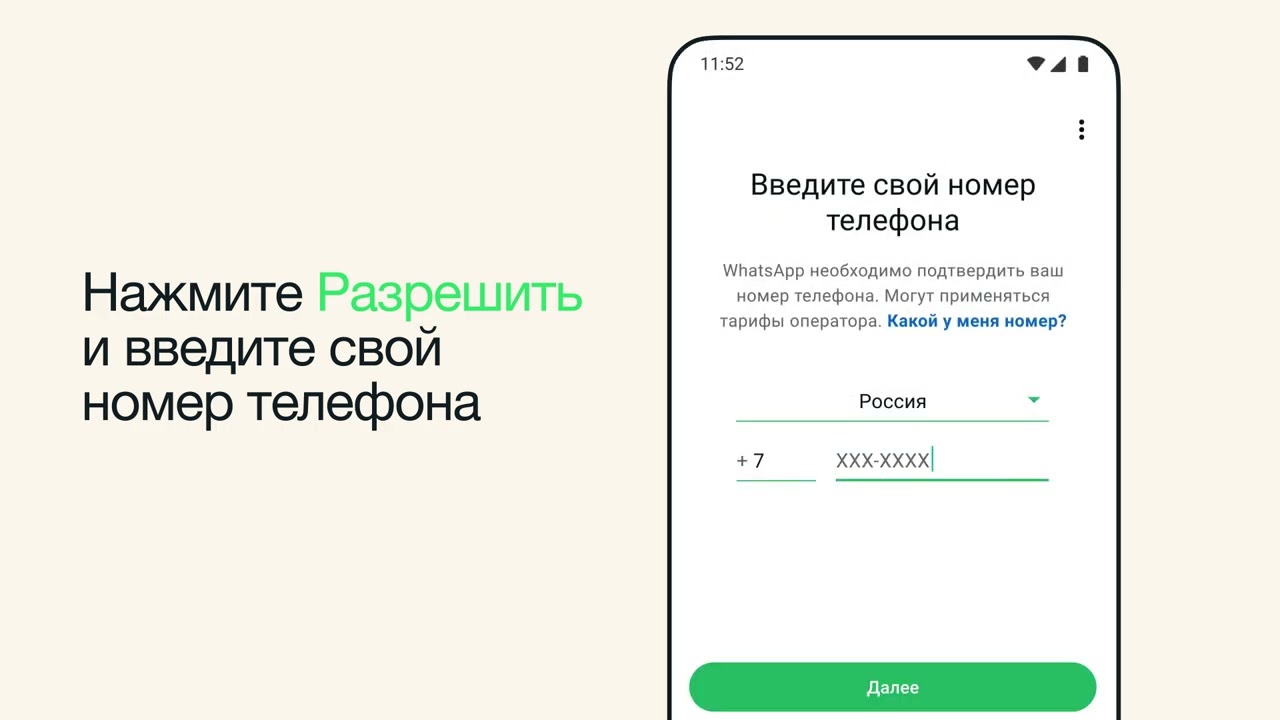
0:18 Instale e abra o WhatsApp no novo celular
1:11 Revise as informações fornecidas e toque em Restaurar
1:28 Confirme as informações do perfil
Mantenha a conexão com o WhatsApp
Siga o nosso Canal do WhatsApp: https://whatsapp.com/channel/0029Va4K0PZ5a245NkngBA2M
Curta o WhatsApp no Facebook: https://www.facebook.com/WhatsApp
Siga o WhatsApp no Instagram: https://www.instagram.com/whatsapp
Siga o WhatsApp no Threads: https://www.threads.net/@whatsapp
Siga o WhatsApp no X: https://x.com/whatsapp
#WhatsApp #Mensagens #RestaurarWhatsApp #RecursodoWhatsApp Receive SMS online on sms24.me
TubeReader video aggregator is a website that collects and organizes online videos from the YouTube source. Video aggregation is done for different purposes, and TubeReader take different approaches to achieve their purpose.
Our try to collect videos of high quality or interest for visitors to view; the collection may be made by editors or may be based on community votes.
Another method is to base the collection on those videos most viewed, either at the aggregator site or at various popular video hosting sites.
TubeReader site exists to allow users to collect their own sets of videos, for personal use as well as for browsing and viewing by others; TubeReader can develop online communities around video sharing.
Our site allow users to create a personalized video playlist, for personal use as well as for browsing and viewing by others.
@YouTubeReaderBot allows you to subscribe to Youtube channels.
By using @YouTubeReaderBot Bot you agree with YouTube Terms of Service.
Use the @YouTubeReaderBot telegram bot to be the first to be notified when new videos are released on your favorite channels.
Look for new videos or channels and share them with your friends.
You can start using our bot from this video, subscribe now to Como restaurar seu histórico de conversas do WhatsApp no Android
What is YouTube?
YouTube is a free video sharing website that makes it easy to watch online videos. You can even create and upload your own videos to share with others. Originally created in 2005, YouTube is now one of the most popular sites on the Web, with visitors watching around 6 billion hours of video every month.